In the office
- Suppliers: company number, VAT, order days, cut-off, lead time
- Compared price list, PDF purchase orders by email
- Partial receiving, invoices extracted and matched
Compare the price list, send the order as PDF, receive in part, let the invoice arrive by mail.
Request a demo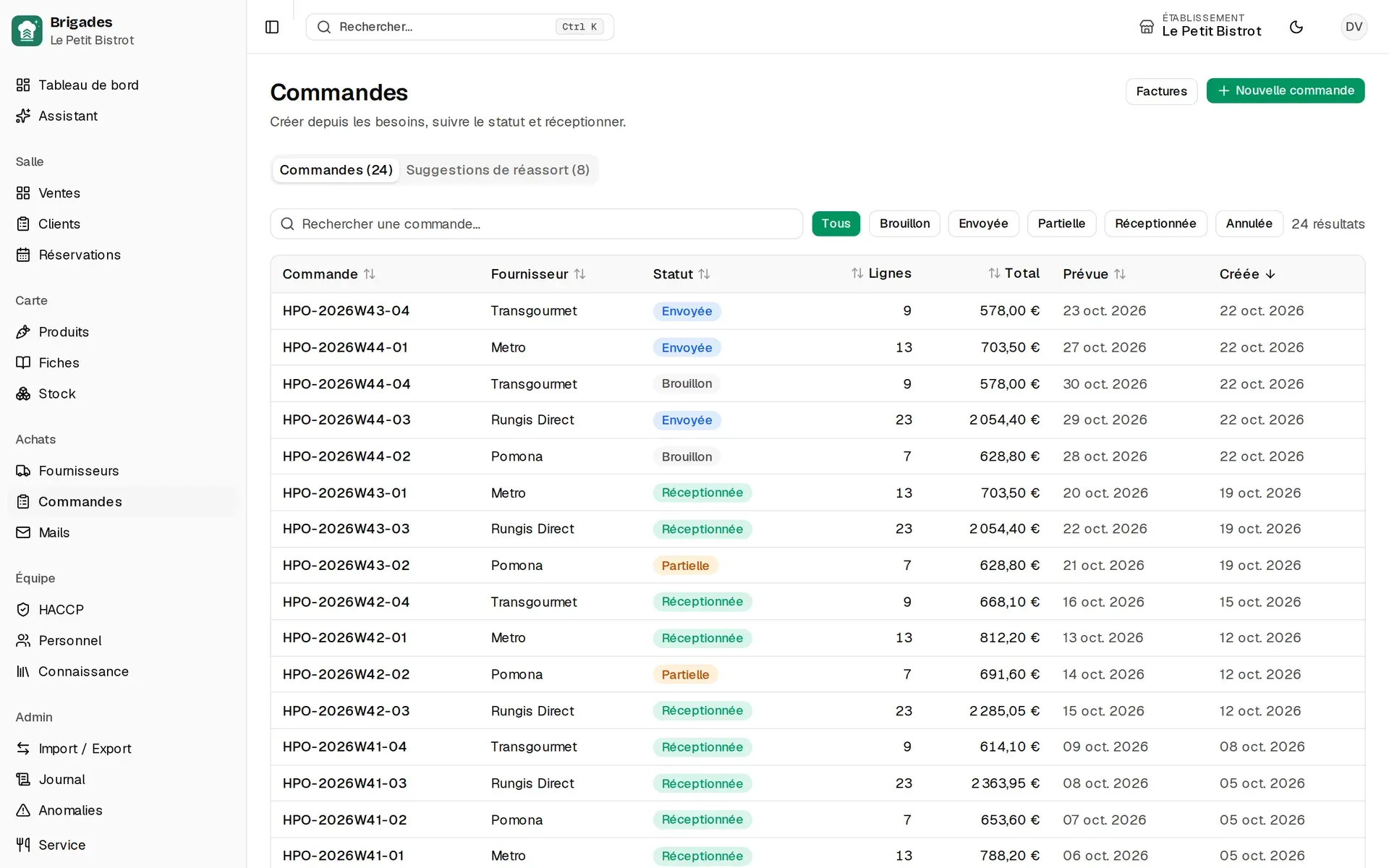
Several suppliers on the same product: you see who is cheaper today. Each supplier has its order days and cut-off time; restocking suggests the right slot.
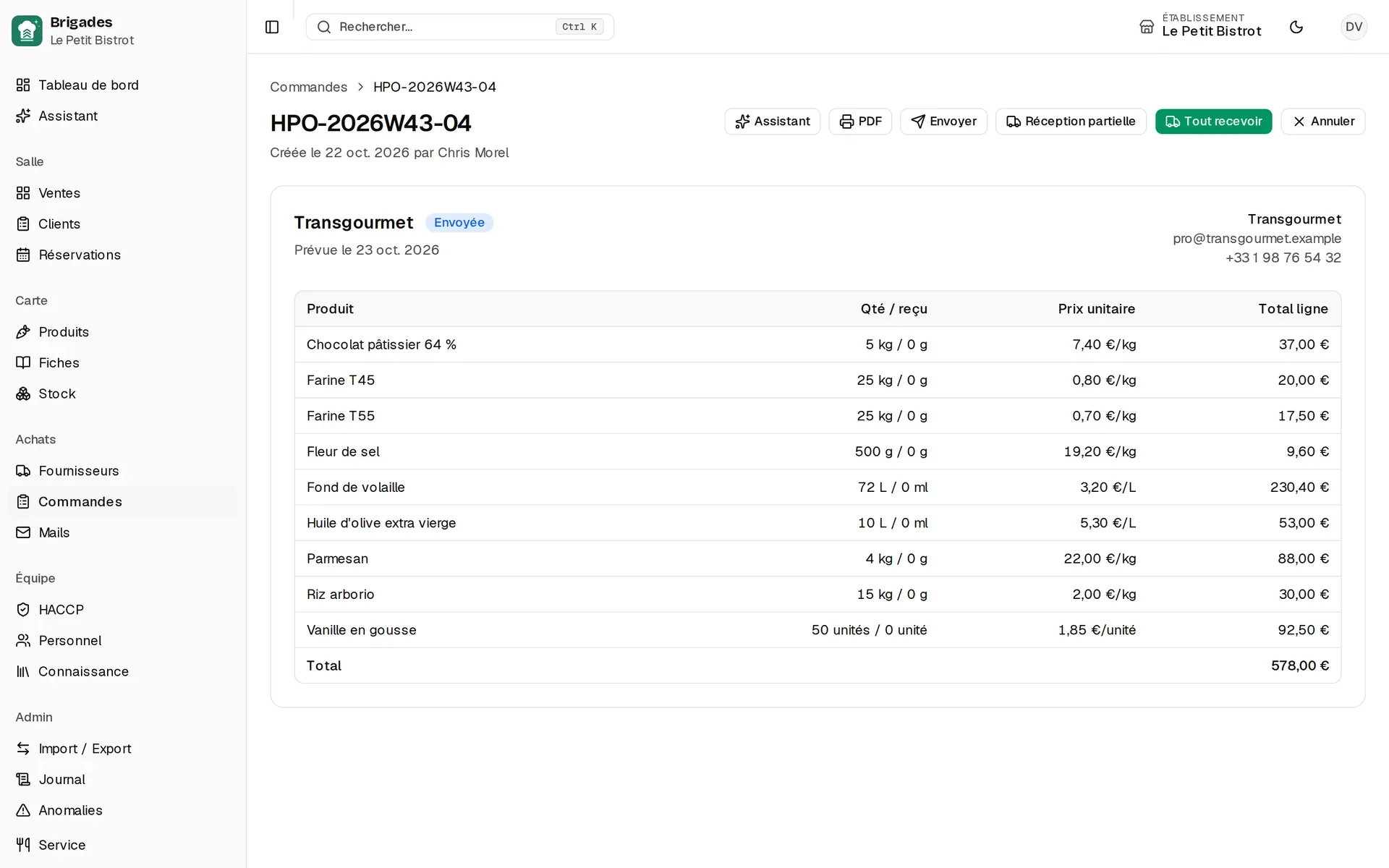
Draft, sent, partial, received. Number dated in the restaurant's time. The PDF goes by email; the status stays visible in the office.
Not everything arrives. Partial receiving updates stock and lots for what is there, in the right unit, and leaves the rest open.
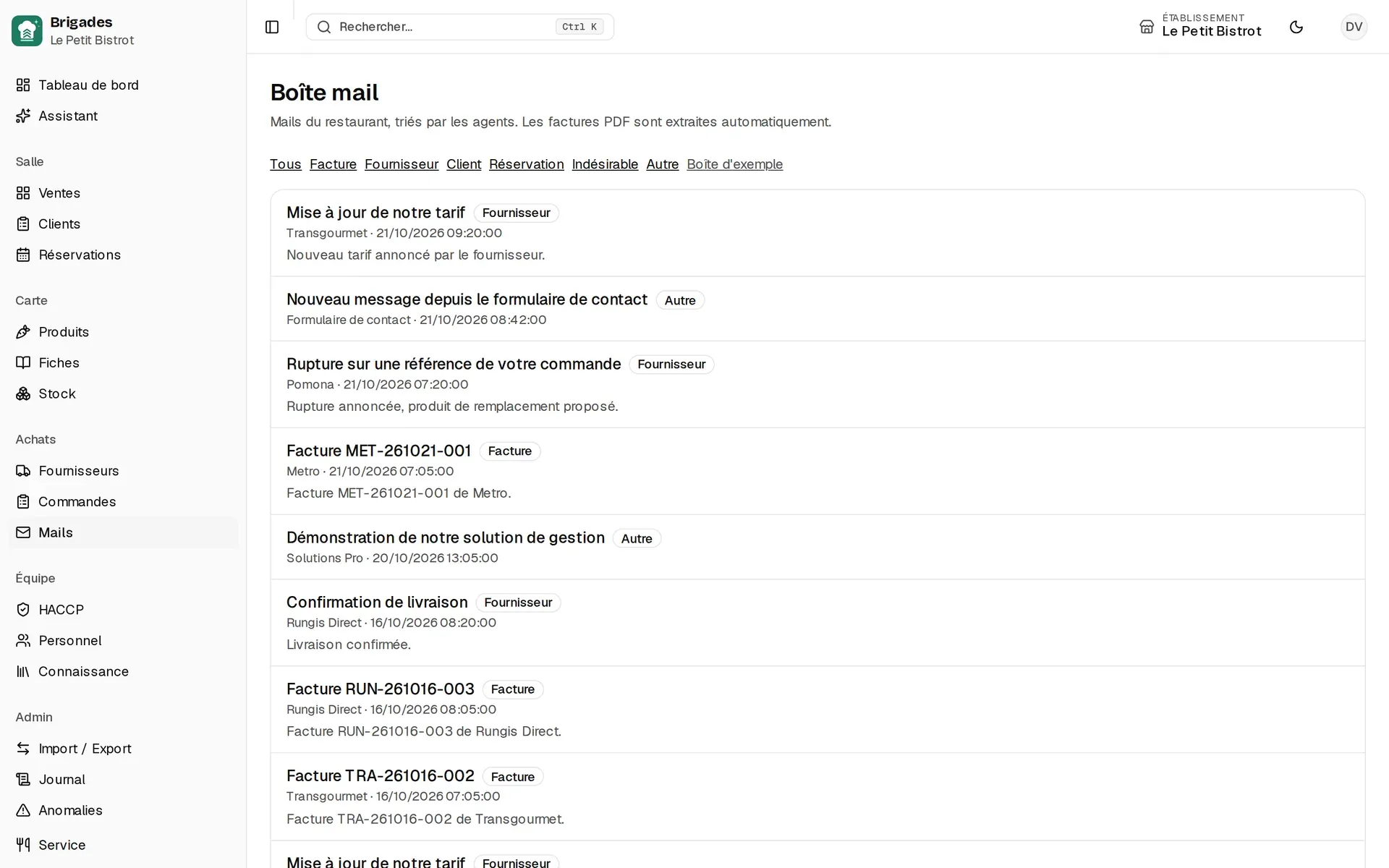
The restaurant's mailbox is read by the assistant: the PDF invoice is extracted, matched to the order, prices compared to the price list. You approve; nothing writes itself.


FAQ
No. They receive a PDF by email, as usual.
Yes. Supplier prices sit on each product and read as a matrix.
Through the mailbox linked to Brigades (IMAP). The assistant extracts the invoice and proposes it matched to the order; you confirm.
Pilot
Leave your email: we review the request, then you get personal access to the demo, the restaurant running in these screenshots.
Request a demo