In the office
- Service sales, tickets, Z report computed by the server
- Versioned floor plan, set menus and timed menus
- Kitchen stations, course colours, chase thresholds
The floor takes the order. Kitchen and bar see the same ticket. The office rereads the service at night.
Request a demo
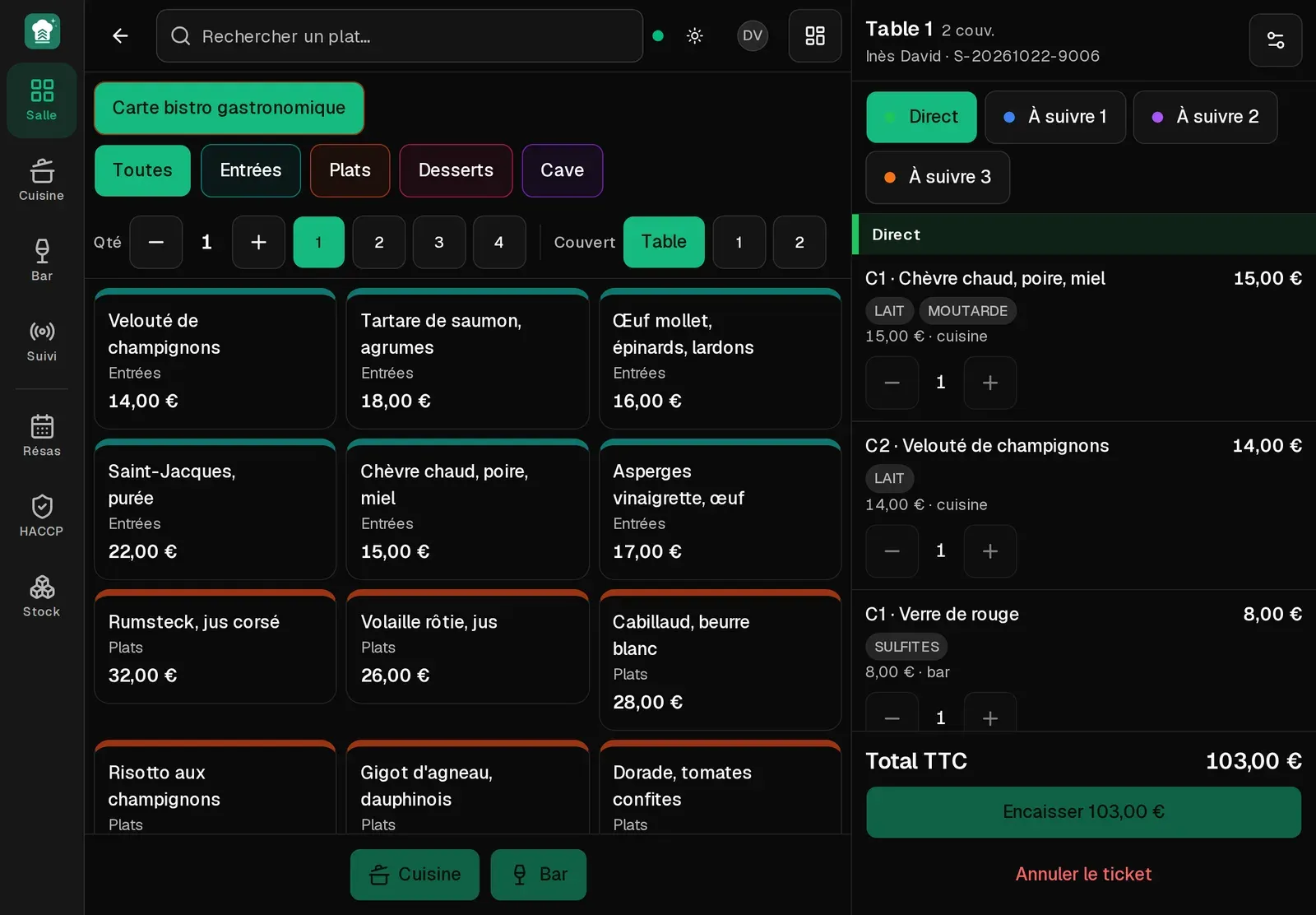
Tables, covers, set menus, extras, a note per line (no onion…). Prices come from the server, never from the tablet. Two tablets opening a ticket at the same instant get two numbers.
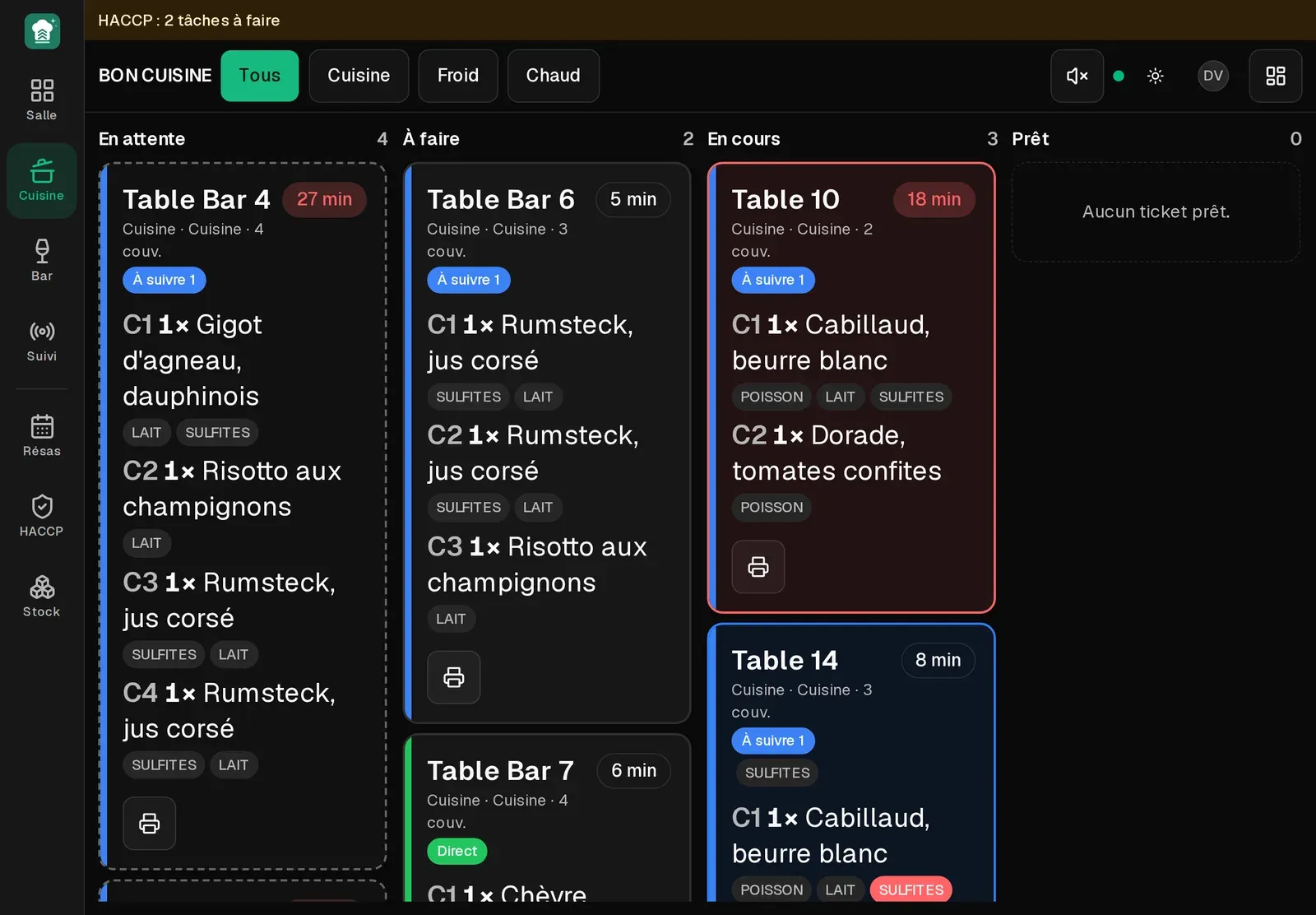
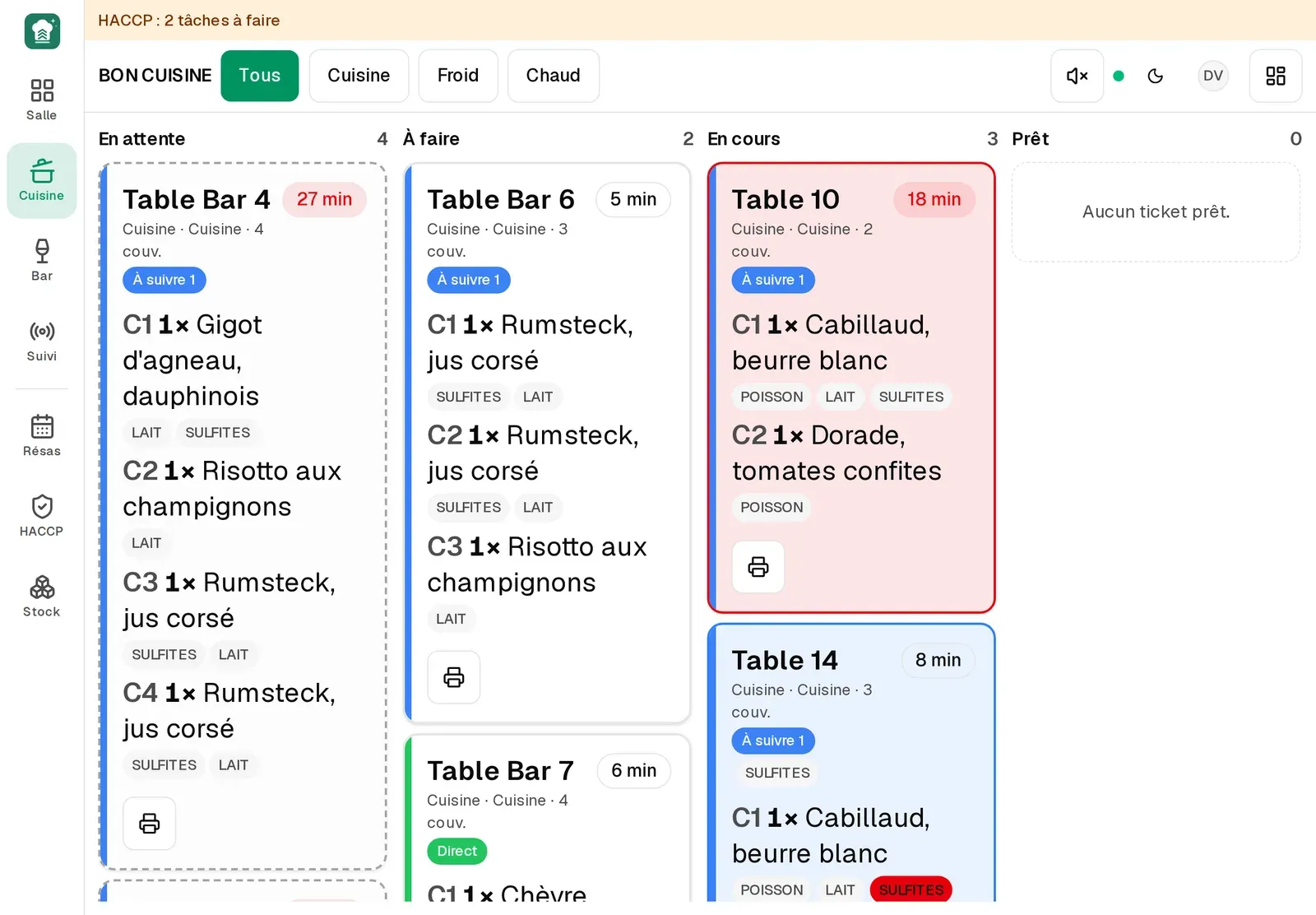
The ticket lands live on the right station. Columns Hold, To do, In progress, Ready. Large type, elapsed time, flash and beep on a chase, allergens shown.
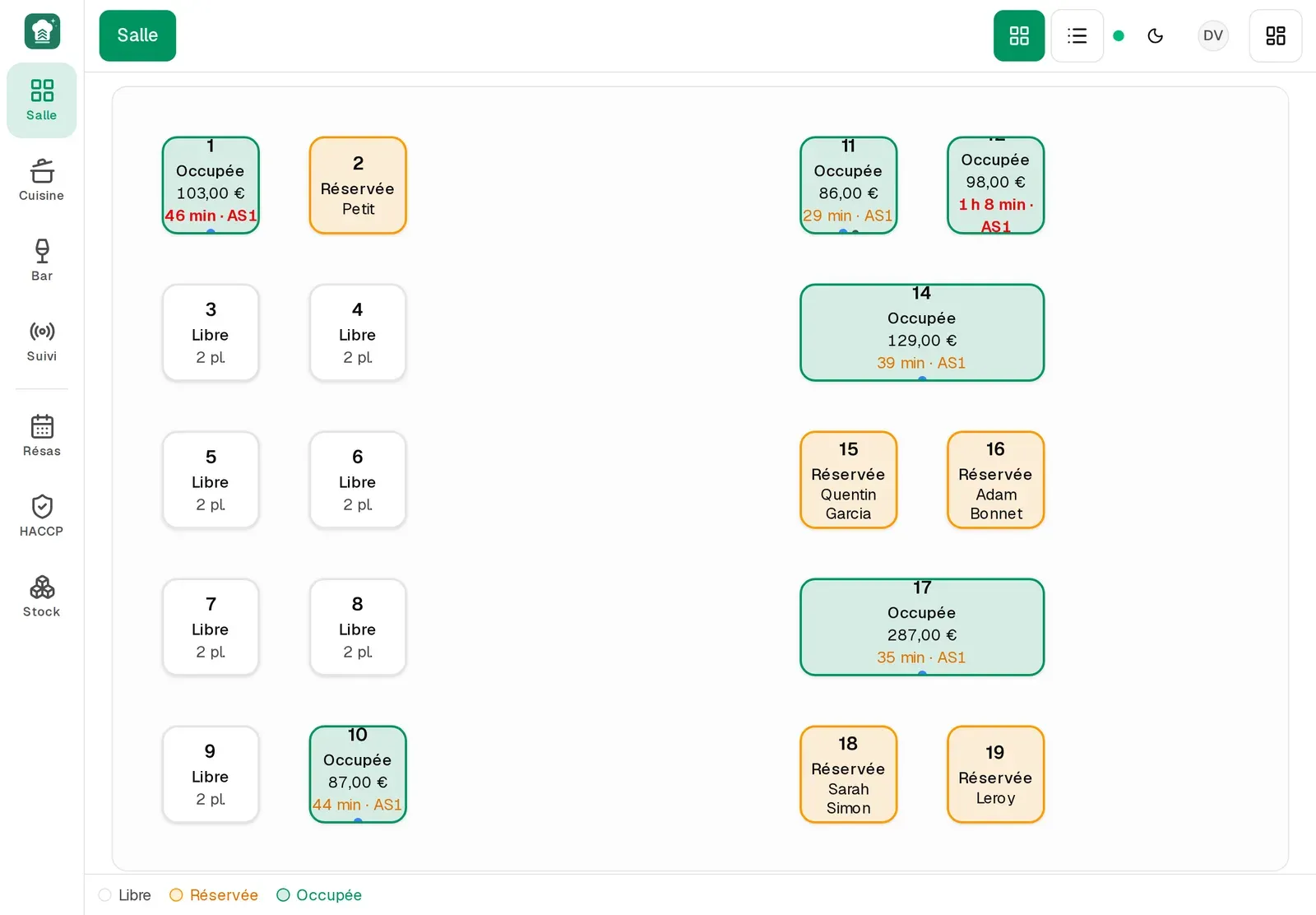
Tables free, reserved (amber) or occupied (green), walk-in tables, today's waitlist. A tap opens the check or seats the reservation.
The check prints, the ticket closes and drops stock. The Z covers exactly what happened since the previous one, in the restaurant's time; sold-outs are reset.
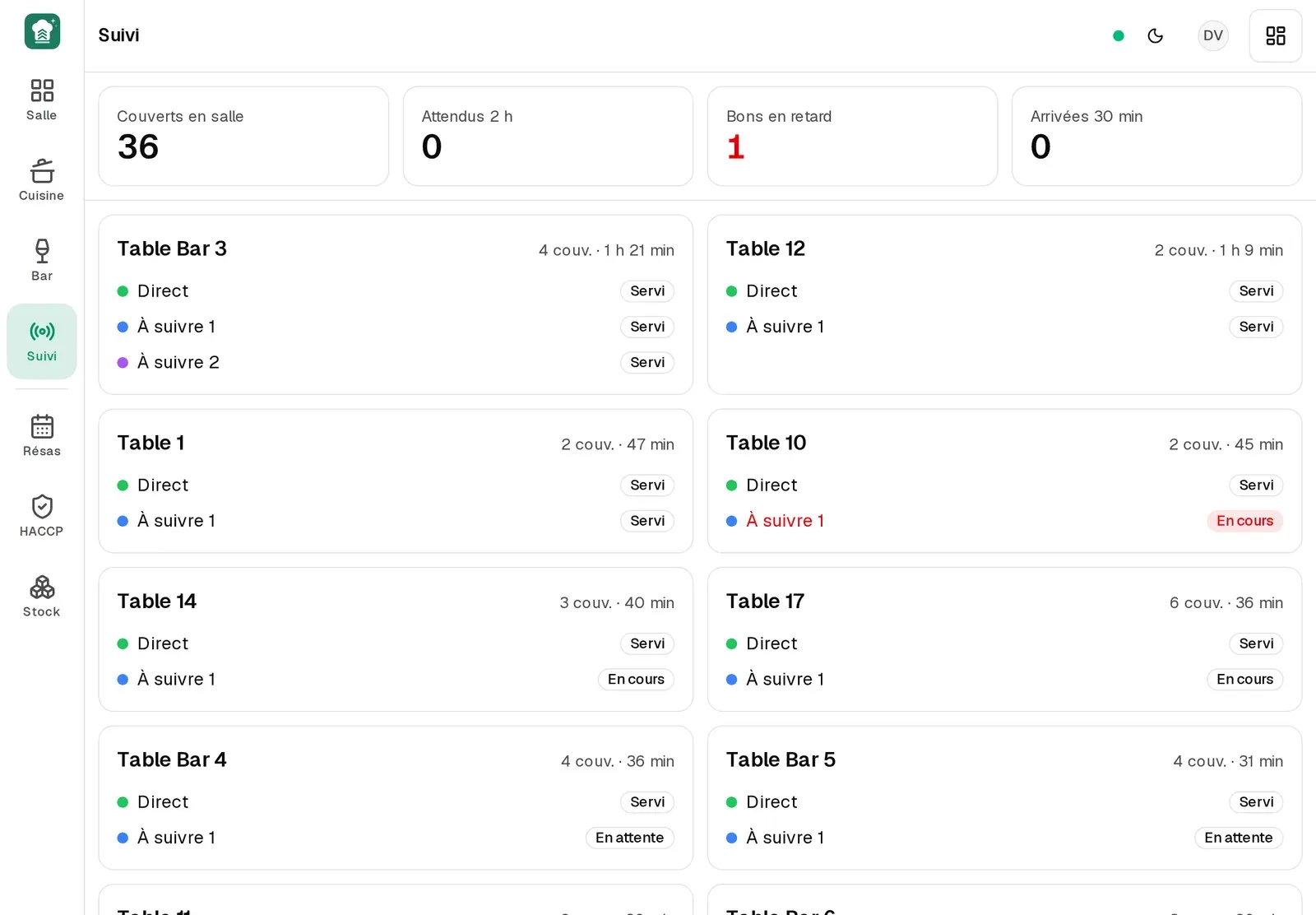


In external-till mode Brigades records no payment — the server is what refuses. The printed check points to your till's receipt. Once Brigades is NF525-certified, payment will happen in the tool; the demo already shows it, in training mode marked non-fiscal.
FAQ
No. A modern tablet, phone or computer is enough. The service UI is built for landscape, with a cut-down version for the phone.
No. Prices are computed on the server. The floor sends, the kitchen runs, the office sets the menu.
The tablet shows an offline page and a network indicator; nothing is lost on the server. When the network is back, the floor reloads.
Pilot
Leave your email: we review the request, then you get personal access to the demo, the restaurant running in these screenshots.
Request a demo